Magic Diamond Painting-Gem Art
- 4.7
- Rating
- 5.00M
- Installs
- Free
- Price
 Analysis by App-foxy
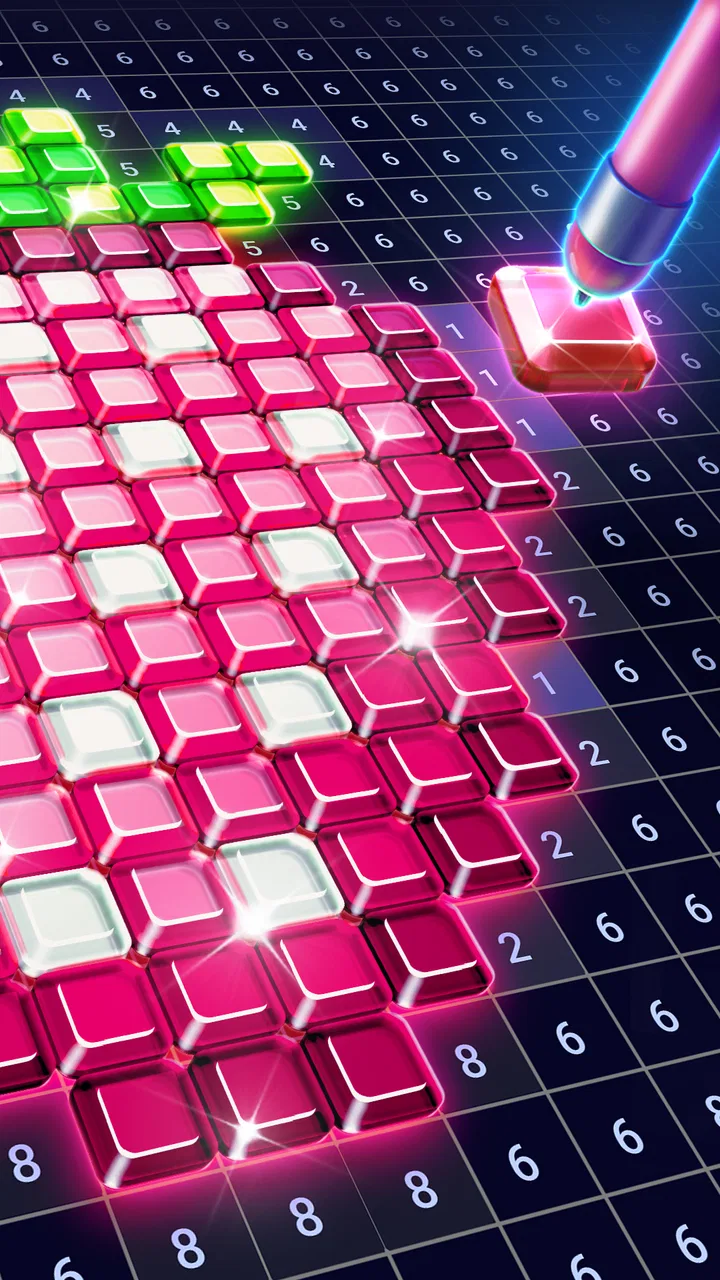
I opened Magic Diamond Painting expecting a simple color-by-number distraction, and that is exactly where its appeal begins. This Art & Design app from ZiMAD turns pictures into small, jewel-like sections that you complete by matching colors and tapping them into place. It is free to start, rated for Everyone, and works on devices running Android 8.0 or later. After spending time with it, I see it less as a drawing tool and more as a quiet, guided craft activity for people who want a finished image without having to sketch, mix colors, or learn a complicated interface.
The important distinction is that you are not really creating an image from a blank canvas. You are following a prepared design and making a series of tiny decisions inside a fixed structure. That makes the experience approachable, but it also defines its limits. If you want to draw freely, edit a photograph, or develop painting skills, this is not the right destination. If you want something calming to do while waiting for an appointment, winding down after work, or taking a break from a more demanding game, the format makes a lot of sense.
From a spare moment to a completed gem-art picture
I find this kind of gem-art activity easiest to enjoy when I treat each picture as a series of small stops rather than a race to finish. I’ll look at how choosing a design and setting a comfortable pace can make a few spare minutes feel rewarding, then turn to what changes when I keep coloring for longer.
You May Also Like

 Blood Strike: 2.5 Anniversary
Blood Strike’s Loadouts Turn Every Drop Into a Tactical Gamble
A close look at Blood Strike’s custom loadouts: how fast access to signature weapons reshapes its battle royale rhythm, rewards preparation, and narrows the gap between fights.

 Pandora - Music & Podcasts
Pandora’s Music Is Easy to Start, but Harder to Recover
Pandora’s strength is its low-effort path from a seed to a station. Its weak spot is how much confidence it asks you to place in connection, setup, and quiet recovery.

 8 Ball Pool
 Is Built on Rivalries, Rematches, and Routine
A close look at the rivalries, rematches, shared routines, and unanswered safety questions that turn a quick pool match into a persistent mobile community.

 Samsung Music
’s Quiet Strength Is Playing What You Already Own
Its reach comes less from spectacle than from dependable access to a personal library. That simplicity is both the app’s strongest retention engine and its ceiling.

 AccuWeather: Weather Radar
AccuWeather Review: A Quick, Clear Forecast for Everyday Decisions
For everyday plans, the best forecast is the one you can understand quickly. AccuWeather makes rain timing, radar, and local conditions easy to act on, with a few trade-offs.

 Hill Climb Racing
Why Hill Climb Racing Still Turns Crashes Into One More Run
A tiny car, a bumpy hill and one more upgrade: Hill Climb Racing keeps resurfacing because its simple chaos makes every near-miss feel personal.
More From Our News Desk



Beginning with the right kind of project
The starting condition matters more than it first appears. When I use this app, I am usually not looking for a challenge that demands planning. I want a clear task with an obvious next move. The numbered coloring format removes the intimidating part of art: there is no empty page staring back at me. I choose a design, inspect the available color targets, and begin filling the marked areas.
That makes the app particularly suitable for beginners, children using it with an adult nearby, and adults who enjoy craft aesthetics but do not have the time or space for physical diamond painting. The Everyone rating also fits the gentle presentation. Still, “easy to start” does not mean every picture feels equally effortless. A design with many tiny areas or closely related colors requires more visual attention, while a bold image with larger sections gives a faster sense of progress.
My practical advice is to choose a picture according to your available time, not just its appearance. For a short break, I prefer a design with clear, separated sections. For a longer session, I can tolerate a more detailed image because the gradual reveal becomes part of the reward. Starting with the most intricate picture when I only have a few minutes tends to make the experience feel unfinished rather than relaxing.
Following the color-by-number flow
The core loop is easy to understand: a color is selected, the matching places become the immediate target, and I tap those areas to fill them. The process resembles digital coloring by number, but the gem-art presentation gives each completed section a more decorative feel. I am not choosing a brush size, adjusting opacity, or deciding which shade belongs in a shadow. The app handles the visual structure, while I provide the attention and the taps.
That simplicity is a strength when my concentration is low. I can return to the same picture without needing to remember a complicated plan. The next useful action is usually visible, so the app avoids the mental overhead found in drawing programs. It also makes progress feel tangible: a dull, unfinished section gradually becomes a polished part of the composition.
There is a small but useful workflow improvement in concentrating on one selected color rather than jumping randomly around the picture. I find a cluster, clear it, then move to another cluster that uses the same shade. This reduces the amount of visual searching and gives the session a rhythm. It is also easier on my eyes than constantly scanning the entire image for isolated targets.
On a phone, I hold the device closer for detailed sections and slow down instead of trying to tap quickly. Fast tapping may feel efficient, but it increases the chance of touching the wrong area or losing track of the selected color. A larger screen is more comfortable for dense artwork, while a phone remains convenient for short sessions. The app’s basic interaction is accessible on both types of device, although the amount of tiny detail naturally affects comfort.
What happens between one tap and the next
The satisfaction comes from the handoff between intention and result. I choose a color, locate a marked space, and see that space change when I tap it. That feedback is immediate enough to keep the loop engaging without turning it into a reflex-heavy game. The experience is closer to placing one small piece of a mosaic at a time than to playing a traditional action title.
This handoff also explains why the app works well as a background activity. I can pause after a few completed areas and return later without losing the basic logic of the task. It does not demand a long uninterrupted run. That is useful in everyday situations such as waiting for food, sitting on public transport, or taking a short evening break when I want to do something with my hands but do not want to start a full game.
For parents, the same structure can make the app easier to introduce than an open-ended art application. A child can see the immediate target and receive a visible result from each action. However, I would still treat it as a shared or supervised activity for younger users, especially because small targets can encourage close screen viewing. The age rating is Everyone, but suitability also depends on the child’s patience, eyesight, and ability to handle in-app purchase prompts responsibly.
The point where a picture becomes an outcome
The finished image is the main payoff. Instead of ending with a score or a competitive ranking, the session ends with a completed piece of digital gem art. That outcome gives the app a different emotional tone from most casual games. I feel as though I have assembled something, even though the design and color map were prepared in advance.
This is where the app can replace a physical craft session for some people, but not for everyone. Digital completion is clean and portable. There is no loose material, no table to clear, and no need to store a half-finished canvas. On the other hand, it does not provide the tactile sensation of handling real gems or the physical object that can be displayed afterward. If the physical process is the reason you enjoy diamond painting, the screen version may feel more like a pleasant imitation than a substitute.
I also like that the result is easy to understand visually. The picture does not require artistic interpretation to feel complete; the color placement itself supplies the sense of order. That makes the app a good choice for someone who wants a decorative result without spending time learning composition or color theory. It is less useful for someone who wants the freedom to alter the final image, because the finished look is determined by the selected design.
Where the workflow becomes less relaxing
The biggest friction is repetition. The same tap-and-match action that calms me during a short session can become monotonous if I continue for too long. There is limited creative decision-making, so the experience depends heavily on enjoying steady progress. If you need constant novelty, strategic choices, or a strong sense of competition, this format may lose its appeal quickly.
Fine detail is another trade-off. Small targets can make the picture look more refined, but they also demand accuracy and patience. On a compact phone, I sometimes find myself adjusting my grip or zooming my attention manually simply to distinguish neighboring areas. That is not a serious flaw in the concept, but it changes the mood from relaxing craft to careful screen work. I would choose a simpler design whenever my eyes are tired.
The free entry point is welcome, but the app includes in-app purchases ranging from $1.99 to $99.99 per item. That range is worth considering before handing the device to a child or treating the app as a completely cost-free hobby. I can enjoy the basic activity without paying, but anyone who wants to explore optional paid content should decide on a spending limit first. The presence of purchases does not ruin the core idea, yet it is part of the real experience and should not be overlooked.
Another limitation is that this is not a productivity tool disguised as art. Completing a picture may help me pause, but it does not teach drawing technique, improve a photograph, or produce an editable illustration. Compared with a conventional coloring app, this one provides more guidance and less control. Compared with a full digital painting app, it is much easier to use but dramatically narrower. Compared with physical diamond painting, it is faster to start and easier to carry, but it lacks the material reward.
Who benefits most from this particular format
I would recommend it to people who like organized creative tasks. That includes anyone who enjoys sorting, matching, completing small sections, and watching a picture emerge gradually. It is also a reasonable choice for a relaxing routine before bed, provided screen use at that time is comfortable for you. The low barrier to entry means you do not need an art background, and the guided structure prevents the uncertainty that often makes creative software feel demanding.
It can also work as a gentle alternative for someone who finds competitive mobile games tiring. There is no need to react quickly or outperform another player. The focus is on finishing a visual task at a personal pace. In my experience, that makes it easier to use when I want engagement without pressure.
I would skip it if my goal were genuine artistic control. A sketching app, a layer-based painting program, or a physical coloring book would be better for experimenting with lines, textures, and unusual color choices. I would also skip it if I disliked repetitive tapping or wanted every session to introduce a new mechanic. The app’s identity is its consistency, and that consistency is either reassuring or restrictive depending on what I expect from it.
A realistic everyday session
Imagine arriving early for an appointment with ten minutes to spare. I open a picture, select a visible color, and fill a few nearby areas while waiting. I do not need headphones, a separate accessory, or a long explanation before beginning. When my name is called, I stop. Later, I can return to the same unfinished image and continue from the next color or section. That interrupted workflow is one of the strongest practical reasons to keep an app like this installed.
At home, I use it differently. I might spend longer on a detailed picture after dinner, but I set a natural stopping point instead of trying to finish everything in one sitting. A useful stopping point is the end of a color group or a recognizable part of the image. That way, returning later feels like picking up a craft project rather than reopening a task with no clear boundary.
For a child, the handoff may involve an adult choosing the design and checking the purchase settings before the child begins. For an older user, the useful handoff is between a larger screen and a comfortable viewing position. For someone using it as a mindfulness break, the handoff is from a stressful activity into a predictable sequence of small actions. The app works best when the surrounding setup supports its calm pace.
What the current release means in practice
Magic Diamond Painting has reached version 2.29.3, and its popularity is easy to understand from its public reception: it holds a 4.7 average from around 19 thousand ratings, with more than a thousand written reviews and over a million installs. Those figures suggest that the format has found a substantial audience, though popularity alone does not guarantee that its repetitive style will suit every person.
It is available free of charge, with optional purchases inside the app. That combination makes it sensible to try before spending anything. I would use the free experience to answer three practical questions: Do the small targets feel comfortable on my screen? Do I enjoy the repetition after the first few minutes? And do the available designs give me enough motivation to continue? If the answer to any of those is no, paying for more content is unlikely to solve the underlying mismatch.
The Android requirement of version 8.0 or newer keeps the compatibility threshold reasonably approachable for supported devices. Still, the best experience depends less on the operating system number than on screen size, touch accuracy, and battery comfort. A device with a responsive display makes detailed sections less frustrating than an older phone with inconsistent taps.
My final assessment after following the full process
From choosing a design to placing the last digital gem, the app offers a clear and pleasant workflow. It starts with an empty moment, guides me through color matching, hands each small action back with immediate visual feedback, and ends with a finished picture. That complete path is the reason I can recommend it, not because it offers deep art tools or complex gameplay.
The best reason to try it is its low-pressure sense of progress. I can use it for a few minutes, pause without ceremony, and return when I want another quiet task. The strongest tip I can give is to match the picture’s complexity to my energy level: simple designs for tired eyes and short breaks, detailed designs for longer sessions when I am ready to concentrate.
My recommendation is therefore specific. Try it if you want portable, guided gem-art coloring and appreciate repetitive activities that end in a visible result. Keep your spending boundaries in mind, and do not confuse it with a drawing application or a complete replacement for physical diamond painting. For me, it succeeds as a calm digital craft companion. It is focused, accessible, and easy to pick up, but its narrow interaction and occasional detail fatigue mean it is best enjoyed in measured sessions rather than treated as an all-purpose art app.
FAQs for Magic Diamond Painting-Gem Art
01What is Magic Diamond Painting-Gem Art?
Magic Diamond Painting-Gem Art is a creative app that allows users to engage in digital diamond painting. Users can create stunning artworks by placing virtual gems on a canvas, offering a relaxing and satisfying experience. The app features a wide variety of designs, catering to different artistic preferences.
02Is Magic Diamond Painting-Gem Art free to use?
Magic Diamond Painting-Gem Art is free to download and play. However, it offers in-app purchases that can enhance the user experience by providing additional designs, tools, or ad-free usage. Users can choose whether or not to make these purchases based on their preferences and enjoyment of the app.
03What devices are compatible with Magic Diamond Painting-Gem Art?
The app is compatible with both Android and iOS devices. It is designed to run smoothly on smartphones and tablets, ensuring that users can enjoy the diamond painting experience on a range of devices. Make sure your device meets the minimum system requirements for optimal performance.
04How user-friendly is Magic Diamond Painting-Gem Art?
Magic Diamond Painting-Gem Art is designed to be highly user-friendly, with an intuitive interface that allows users of all ages to easily navigate and create artwork. The app provides clear instructions and tutorials, making it easy for beginners to start their diamond painting journey without any hassle.
05Can I share my creations from Magic Diamond Painting-Gem Art?
Yes, users can easily share their completed diamond paintings directly from the app. Magic Diamond Painting-Gem Art includes sharing options that allow users to post their artwork to social media platforms or send them via email. This feature makes it simple to showcase your creativity to friends and family.
Pros
- Intuitive interface makes it easy for beginners.
- Wide variety of designs to keep users engaged.
- Offline mode for uninterrupted creativity.
- Regular updates with new patterns and features.
- Satisfying and relaxing experience for stress relief.
Cons
- Occasional ads can interrupt the flow.
- Limited free content without in-app purchases.
- Some users report minor app crashes.
- High battery consumption during extended use.
- Requires significant storage space for designs.

Magic Diamond Painting-Gem Art
Gallery